Use this prompt to create Character Consistency Design Chart, so you don't need to worry about failing ai video or images.
Prompt:
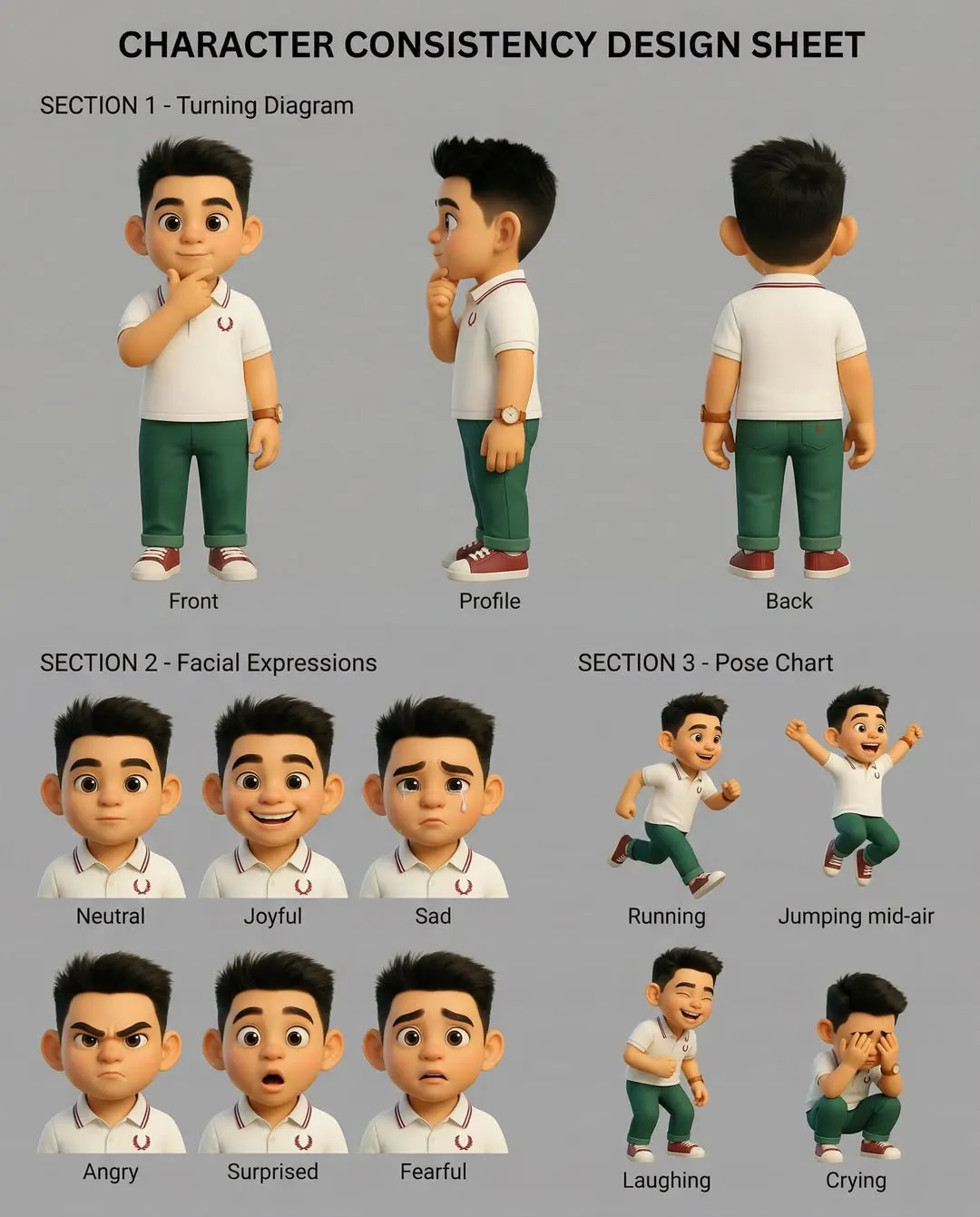
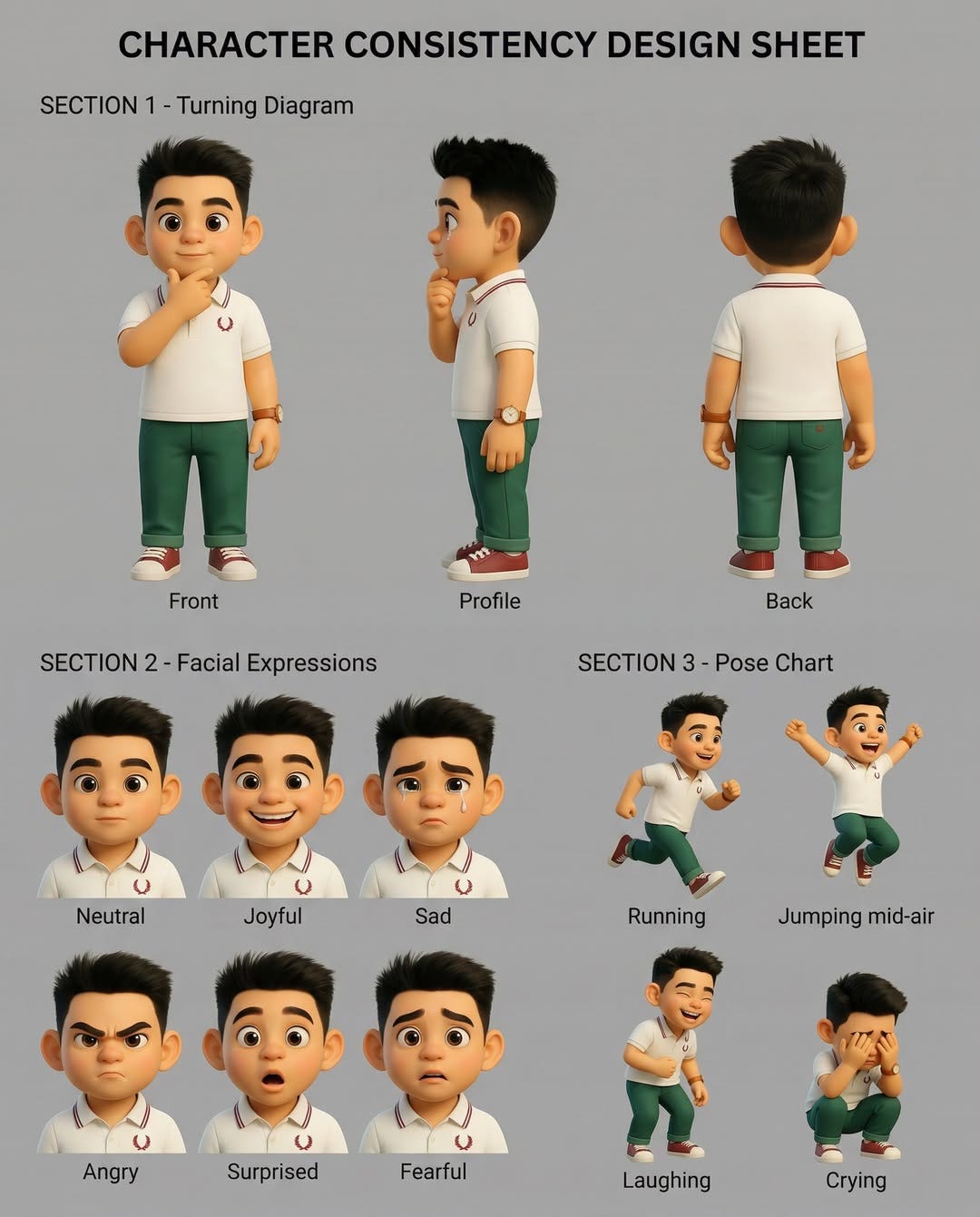
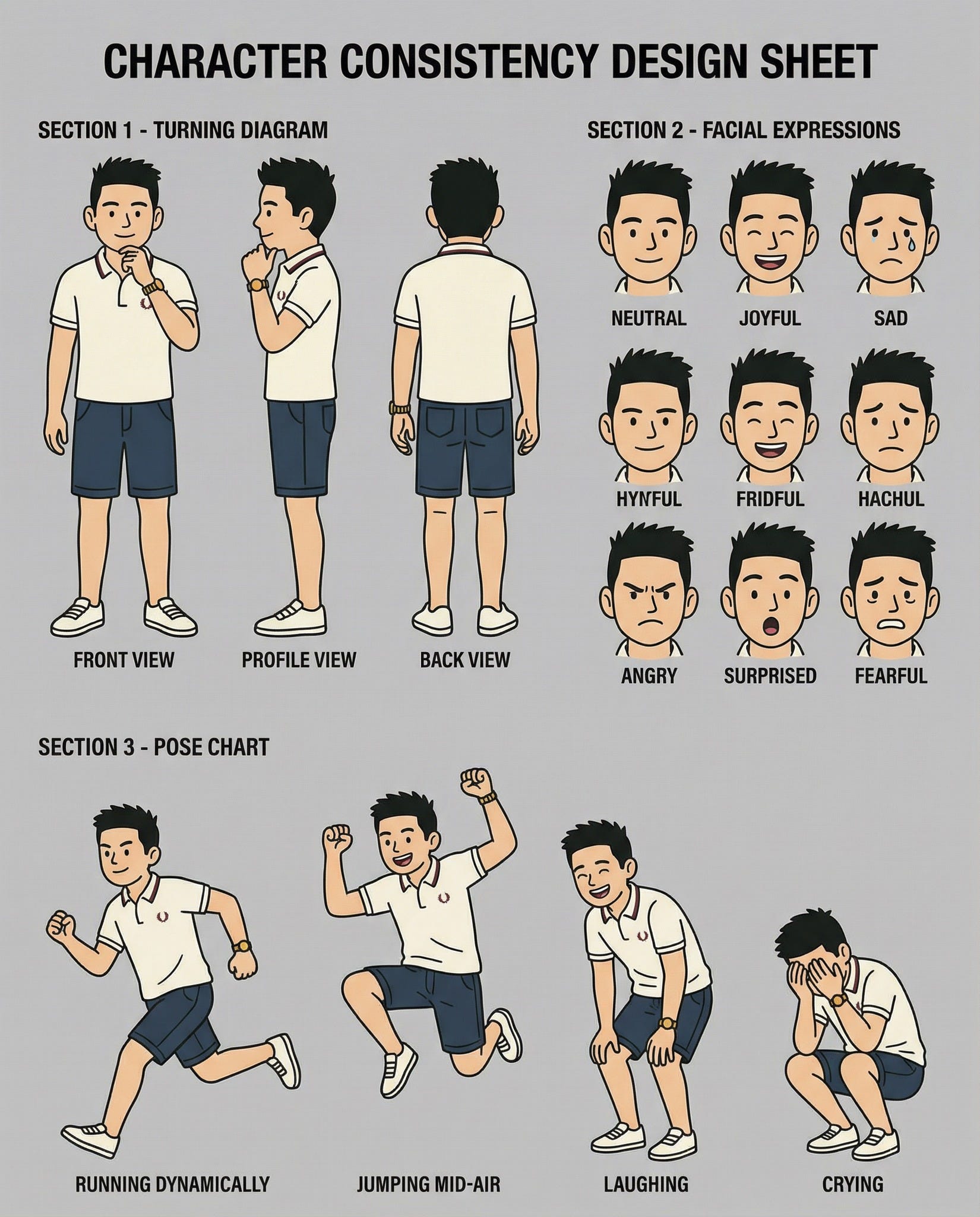
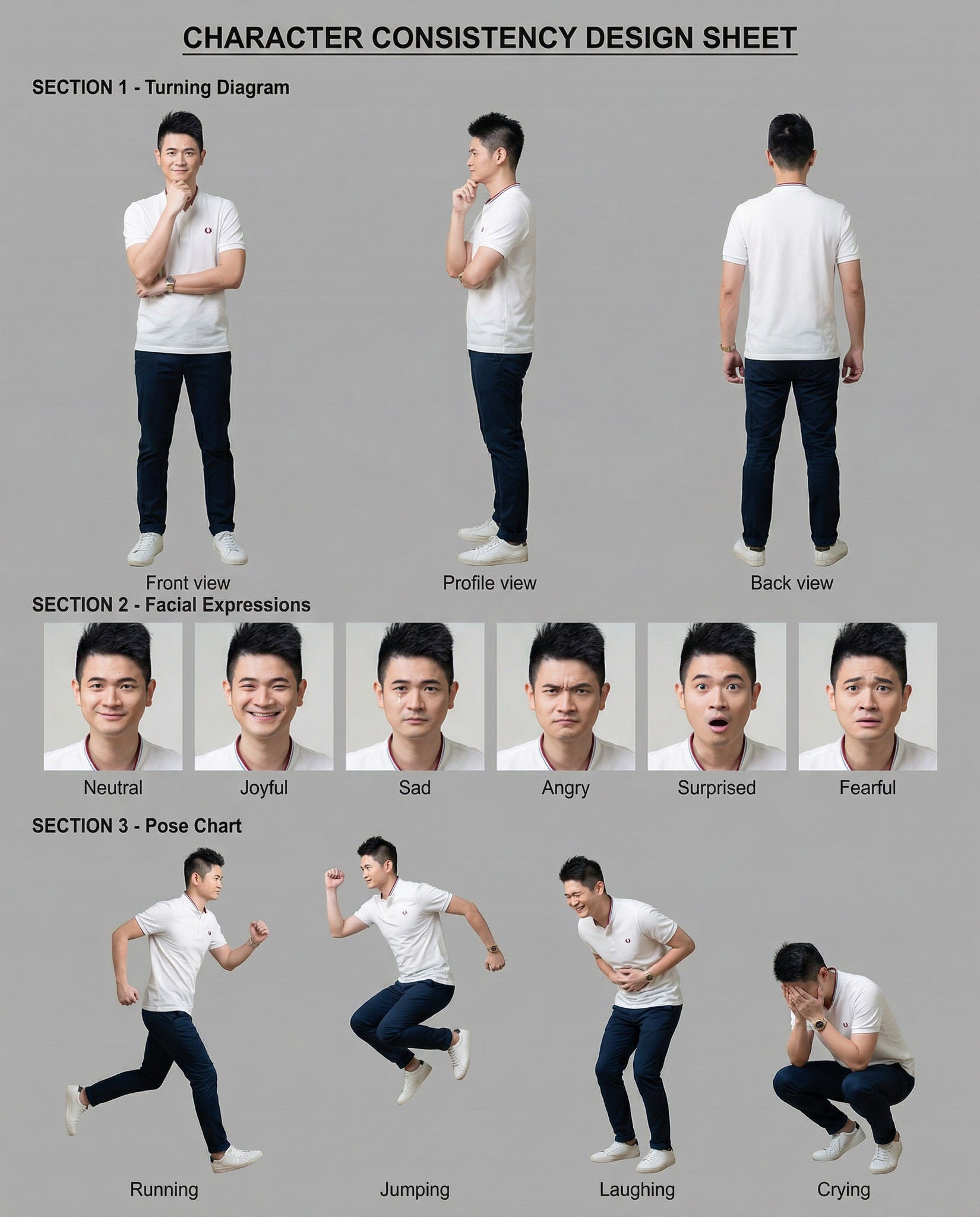
Professional character design sheet with the title “CHARACTER CONSISTENCY DESIGN SHEET” prominently displayed at the top center. Neutral grey background featuring [describe character OR “the character from the reference image”]. Match the exact art style of the reference (photorealistic/anime/3D/illustration). The character’s facial features, body proportions, outfit, and accessories must remain identical across all depictions.
LAYOUT: Three labeled sections arranged clearly below the title:
SECTION 1 - Turning Diagram (3 full-body views):
- Front view: standing straight, hand at chin, facing camera
- Profile view: same pose, facing left
- Back view: facing away, showing outfit back details
SECTION 2 - Facial Expressions (6 close-up portraits, head and shoulders):
Neutral | Joyful (broad smile) | Sad (tear on cheek) | Angry (furrowed brows) | Surprised (wide eyes, open mouth) | Fearful (apprehensive eyes)
SECTION 3 - Pose Chart (4 full-body action poses):
Running dynamically | Jumping mid-air | Laughing (bent slightly) | Crying (crouching, hands covering face)
Clean labels beneath each image. Professional character turnaround style.
🚨 STOP Wasting Hours on Broken AI Videos! 🚨
Your character's face keeps changing in every scene?
Hair color shifting? Outfit morphing?
You're not alone. 95% of AI creators face this nightmare.
Here's what the pros DON'T tell you:
The secret isn't the AI tool. It's the CHARACTER CONSISTENCY DESIGN SHEET.
Think of it like this:
Without a design sheet = Telling 10 different artists to "draw a girl"
With a design sheet = Giving them the EXACT blueprint
━━━━━━━━━━━━━━━━━━━━
📐 WHAT'S IN A CHARACTER CONSISTENCY DESIGN SHEET?
1️⃣ TURNING DIAGRAM (3 angles)
• Front view - full body
• Side view - profile
• Back view - all details
2️⃣ FACIAL EXPRESSIONS (6 emotions)
• Neutral, Joy, Sadness
• Anger, Surprise, Fear
3️⃣ POSE CHART (4 action shots)
• Running, Jumping
• Laughing, Crying
All on ONE reference sheet. Same character. Zero morphing.
━━━━━━━━━━━━━━━━━━━━
🎯 WHY THIS WORKS:
AI tools like Kling, Runway, Meta AI, and Google Veo read your reference image.
Multiple angles + expressions = The AI "learns" your character.
Result? Same face, same outfit, every single time.
Pro creators use this for:
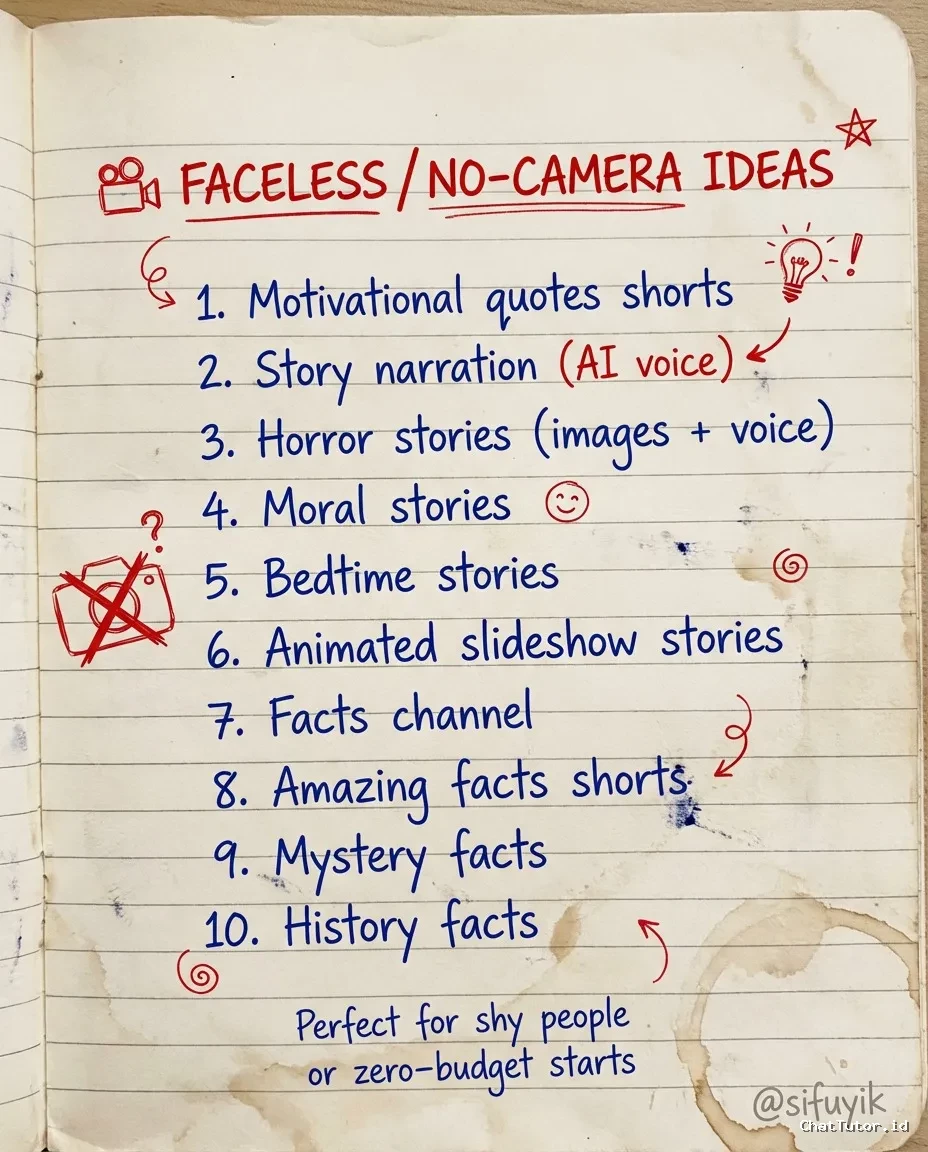
✅ Faceless YouTube channels
✅ AI animated shorts
✅ Viral TikTok/Instagram content
✅ Storytelling videos
✅ Character-based content series
━━━━━━━━━━━━━━━━━━━━
💡 PRO TIPS:
• Use SEED CONSISTENCY - lock the same seed number across all your video generations
• Start with IMAGE-TO-VIDEO instead of text prompts for 10x better consistency
• Generate your design sheet FIRST before making any videos
• Keep character description identical in every prompt - copy/paste the exact same wording
• Use neutral gray background on your design sheet so AI focuses on the character, not scenery
━━━━━━━━━━━━━━━━━━━━
🔥 THE TRUTH:
Most people skip this step because they want quick results.
Then they spend 10x more time fixing broken videos.
Smart creators invest 30 minutes upfront. Save 20+ hours later.
The difference between amateur AI content and professional?
It's not talent. It's systems.
━━━━━━━━━━━━━━━━━━━━
⚡ QUICK START (Do this today):
1. Generate or upload your character image
2. Use AI to create turnaround views (front/side/back)
3. Add 6 facial expression variations
4. Add 4 action pose variations
5. Save as ONE master reference sheet
6. Feed this sheet to your video AI tool
7. Watch the magic happen
Time invested: 30-45 minutes
Time saved: Forever
━━━━━━━━━━━━━━━━━━━━
✅ BOTTOM LINE:
If you want consistent AI videos that actually work, you need a Character Consistency Design Sheet BEFORE you generate anything.
No more face morphing.
No more outfit changes.
No more starting over.
Just clean, consistent, professional AI content every time.
━━━━━━━━━━━━━━━━━━━━
P.S. This works with ALL major AI tools:
ChatGPT, Midjourney, Leonardo AI, Kling, Runway, Meta AI, Google Veo, Stable Diffusion, Flux.
Stop fighting with inconsistent characters. Start with the blueprint. 🎬